 Seat MakervsWedding Planning Assistant
Wedding planning
Seat Maker vs Wedding Planning Assistant
Choose Seat Maker when you want the browser seating tool plus a native app for saved offline room plans.
Free browser tools · no account needed. Full online access is paid.
Try a real seat change8 fictional guestsAlex is fixed in seat 1. Shuffle the other guests, or select two people to swap.
Why choose Seat Maker?
See what you can do.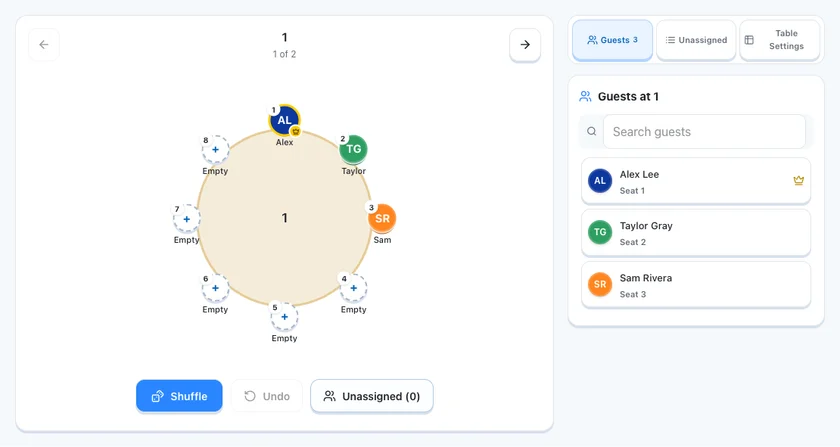
Put every guest in a seat
Lock VIPs. Shuffle the others. Swap two guests. Undo a change.
Try the seat controls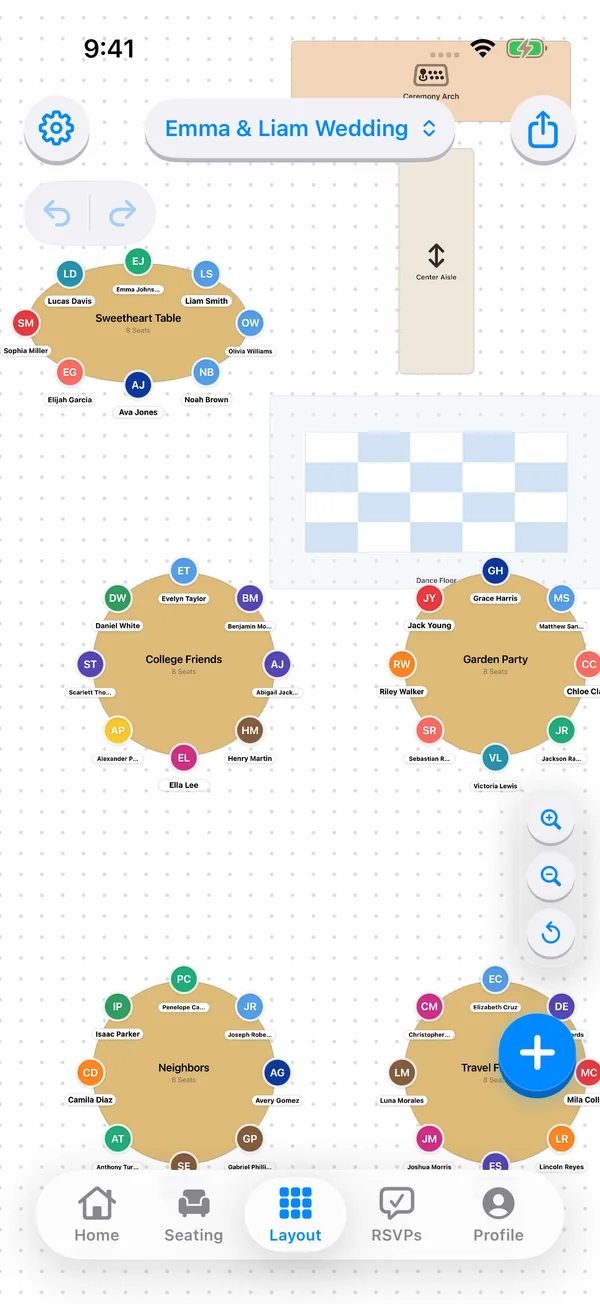
Keep planning at the venue
Edit saved native seating plans offline on iPhone and iPad.
Explore offline planning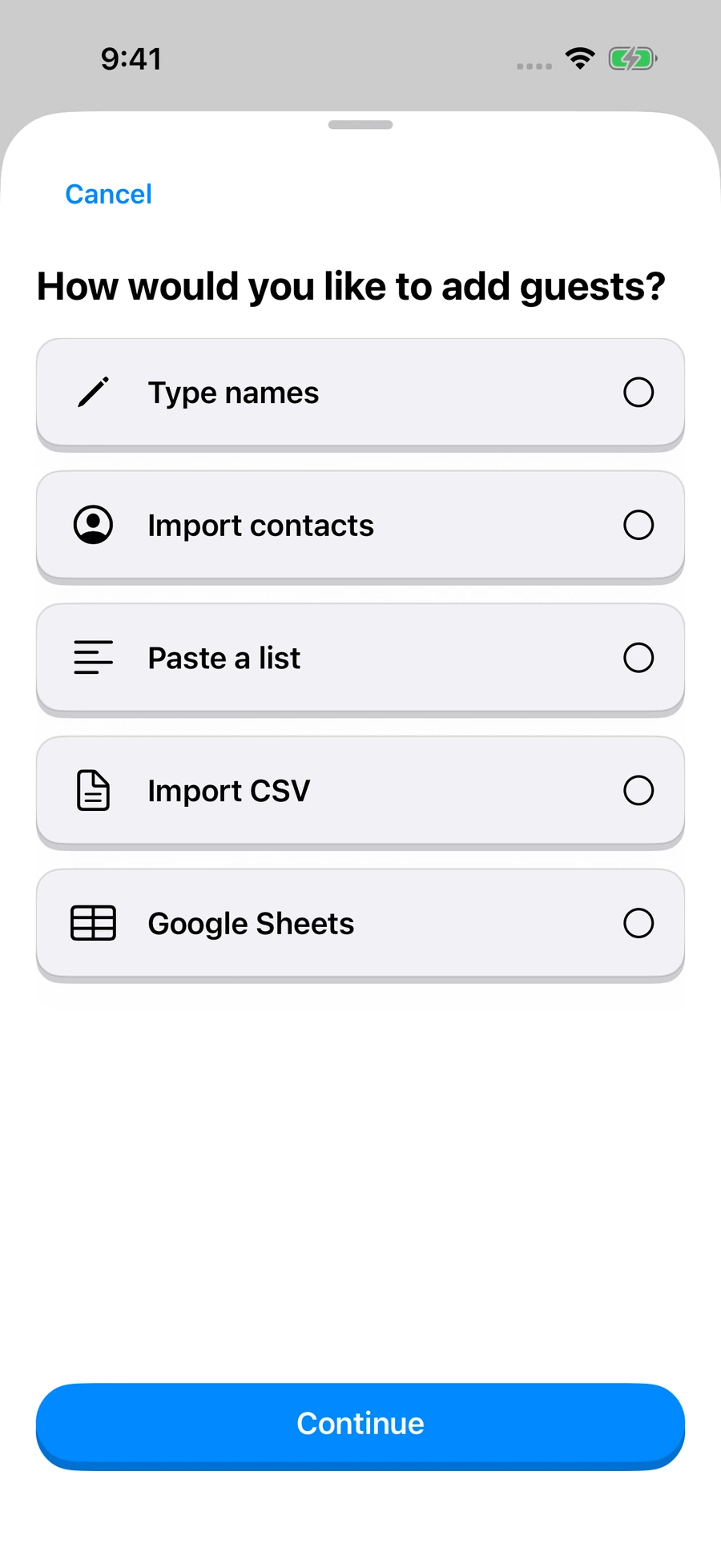
Start with your guest names
Import a list, review the fields, then place your people.
Try guest-list importReal Seat Maker views with fictional names. Native offline edits work in saved iPhone/iPad plans; online sync and RSVPs need internet.
The key differences.
Full feature breakdown ↓| Your decision | Seat Maker | Wedding Planning Assistant |
|---|---|---|
| Best fit | Guest seats & room changes | Free browser seating & wedding tools |
| Tools | VIP locks, shuffle & undo | Excel guest-list upload and manual entry |
| Offline edits | Saved native plans on iPhone & iPad | Not verified in reviewed sources |
| Price | Free browser tools; paid online access & native upgrades | Free browser tool; no signup required |
Vendor-described capabilities. Unknown features are not scored as missing. Full terms & sources below.
The details, when you need them.
Pricing, transfers & official sourcesFull feature comparison8 topics, including devices and offline access
Wedding Planning Assistant offers a free seating tool without signup, with guest import, room objects and PDF output. Seat Maker also has account-free browser planning tools and a native app for local offline work. Compare the actual guest-change and export tasks rather than assuming a paid product must be more capable.
| What matters | Seat Maker | Wedding Planning Assistant |
|---|---|---|
| Planning focus | Named guests, individual seats and a practical room plan. | Start planning a ceremony or reception layout without signup, then import guests, place tables and create useful vendor outputs. Source ↗ |
| Guest and planning tools | Import names, arrange individual seats, lock VIP seats and shuffle other guests. | Excel guest-list upload and manual entry. Room walls, columns, rulers, tables and decor elements Source ↗ |
| Layouts and handoff | Room layout tools and native image/PDF exports. Browser tools include drafts, signs and place cards. | Guest placement with food/allergy requirements. PDF floor-plan output and Excel guest-data export Source ↗ |
| Access and devices | iPhone/iPad app, free browser tools and a paid online planner. Features vary by surface. | Browser-based seating tool with no-signup entry. Source ↗ |
| Offline work | Saved native seating plans can be edited offline. Online RSVPs, sync and published websites require internet. | Offline use was not verified for its browser editor. Source ↗ |
| Price and access terms | Free browser tools. Paid online access and separate native upgrades. Review the complete offer before purchase. | Official landing page calls the tool free and explicitly offers no-signup use. Source ↗ |
| Moving your data | Review a guest-list import. Rebuild room geometry and rules separately. Later updates need reconciliation. | Save your guest list and a PDF reference first. Source ↗ |
| A reason to choose it | You want to work directly on guests and seats, and keep a local native plan for offline venue edits. | You want to start in a browser without signing up and keep using its free wedding seating workflow. Source ↗ |
Plans & pricingWhat is free, what is paid and what expires
Seat Maker
Start with account-free browser planning tools and an editable local draft. The full online planner requires paid access. Native upgrades have separate in-app offers.
Checkout shows the current currency, renewal period and total before purchase.
View online access options →Wedding Planning Assistant
Official landing page calls the tool free and explicitly offers no-signup use.
Official plan terms ↗Reviewed October 21, 2026. Confirm editors, exports, tax, renewal and access expiry for your region. A suite’s fee covers more than seating.
Bring your guest listImport, rebuild and review
Save your guest list and a PDF reference first. Recreate the room where necessary and compare the final guest count with the original project.
- 1Keep an originalSave the source list and a dated visual plan.
- 2Test a small importReview names, duplicates, groups and accepted fields.
- 3Rebuild & reconcileCheck capacities, fixed seats and unassigned people.
A PDF is a visual reference, not an editable room transfer. A CSV snapshot does not create live sync; choose where future changes will be maintained.
Try Seat Maker’s guest-list import →When Wedding Planning Assistant makes senseIts strengths and documented workflow
You want to start in a browser without signing up and keep using its free wedding seating workflow.
- Excel guest-list upload and manual entry
- Room walls, columns, rulers, tables and decor elements
- Guest placement with food/allergy requirements
- PDF floor-plan output and Excel guest-data export
Start planning a ceremony or reception layout without signup, then import guests, place tables and create useful vendor outputs.
Editorial workflow illustration from Wedding Planning Assistant’s official documentation. Official positioning: “No sign-up required!”.
Try a realistic sample120 fictional guests · downloadable CSV
Start with 120 fictional guests, 12 four-person families and four fixed VIPs in 16 eight-seat tables. Cancel Guests 105–108, add Guests 121–124, move Guests 117–120 into the four vacated seats and remove Table 16. The final plan has 120 guests and 120 seats. Keep families together, Guests 053 and 061 apart, and Guests 049–052 in their fixed seats.
Review imported names before setting groups and locks. Extra CSV fields may need manual mapping. This is a reproducible exercise, not a completed competitor benchmark.
Sources & comparison methodOfficial references · reviewed October 21, 2026
Seat Maker publishes this comparison. Recommendations are editorial judgments. Competitor features and prices come from official product, help and pricing materials reviewed October 21, 2026; no paid-account or timed head-to-head benchmark was performed.
- Wedding Planning Assistant: product & workflow ↗planning.wedding
Native images are Seat Maker v3.2.2 on iPhone 17 Pro; browser images are actual tool captures. Names are fictional. No competitor interface has been recreated.
Suggest a correction →Quick answers.
When should I keep Wedding Planning Assistant?
You want to start in a browser without signing up and keep using its free wedding seating workflow.
Can I move my Wedding Planning Assistant plan into Seat Maker?
Save your guest list and a PDF reference first. Recreate the room where necessary and compare the final guest count with the original project.
Can I try Seat Maker before buying?
Yes. The public browser planning tools accept your own names and save a local draft without an account. The full online planner and native app upgrades have separate purchase terms.
What should I check about Wedding Planning Assistant’s price?
Official landing page calls the tool free and explicitly offers no-signup use.
Can I edit my plan without Wi-Fi?
Seat Maker’s saved native seating plans support local offline edits. Account sync, online RSVPs and published websites require internet. For Wedding Planning Assistant: Offline use was not verified for its browser editor.
Make your seating plan.
Free browser tools · no account needed. Full online access is paid.